Bookmark app for short-form videos.
 iOS 17.0+ · iPhone · iPad · EN · KO · JA · ZH
Share Extension
Tap PinClip in the share sheet from Instagram, TikTok, or YouTube. Thumbnail and title auto-extract.
Folders
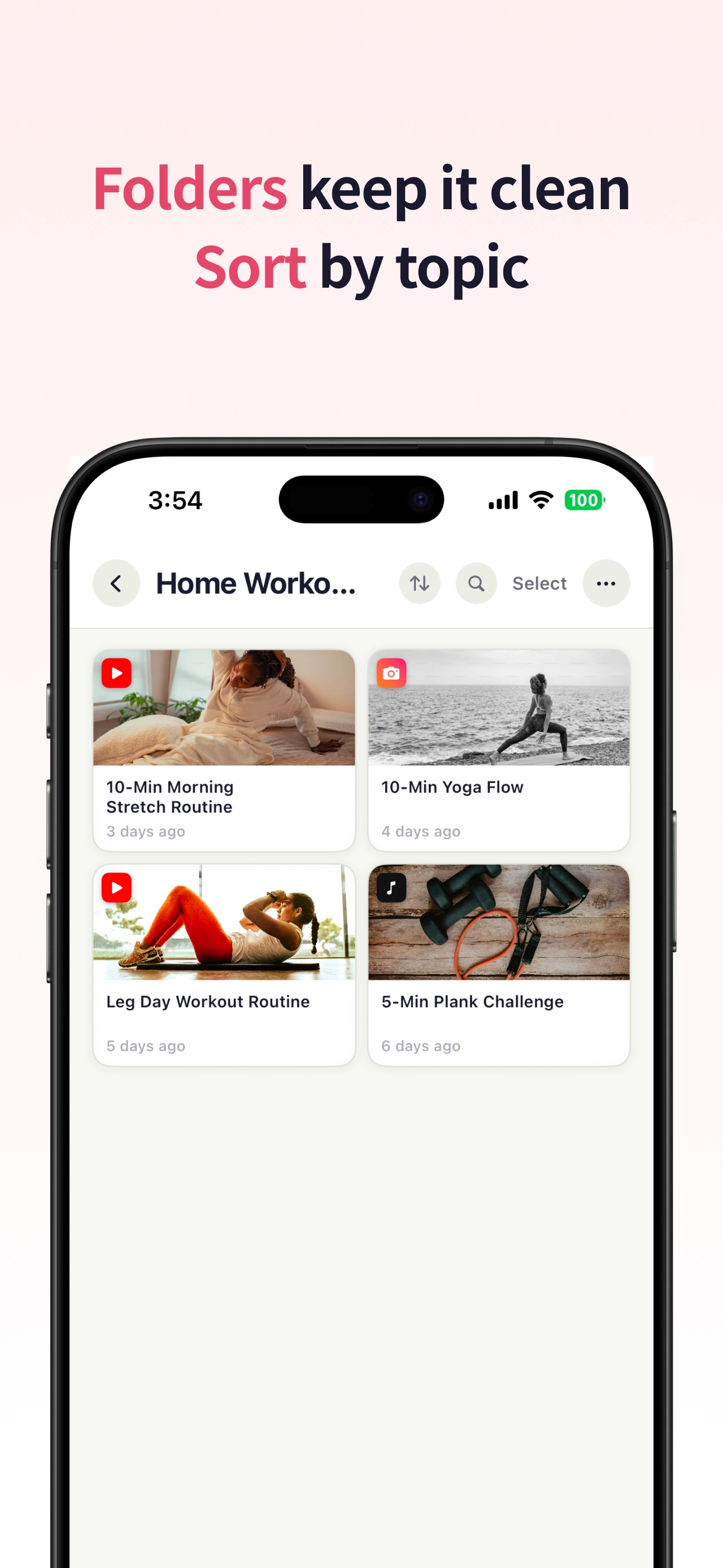
Color-coded folders. Home screen widget for quick access. Smart Folders auto-group by platform (Pro).
iCloud sync (Pro)
Collections sync across iPhone and iPad via Apple iCloud. No third-party server.

"I kept finding short videos I wanted to revisit — saved them to Notes, sent them to Messages, screenshotted. None worked. A few days later I couldn't find anything."
Why I built it
For people who want to keep good videos accessible.
How it works
1.
Watch a short video in YouTube, Instagram, or TikTok
2.
Tap Share → PinClip
3.
Thumbnail, title, and platform auto-extract
4.
Browse later by folder, platform, or search
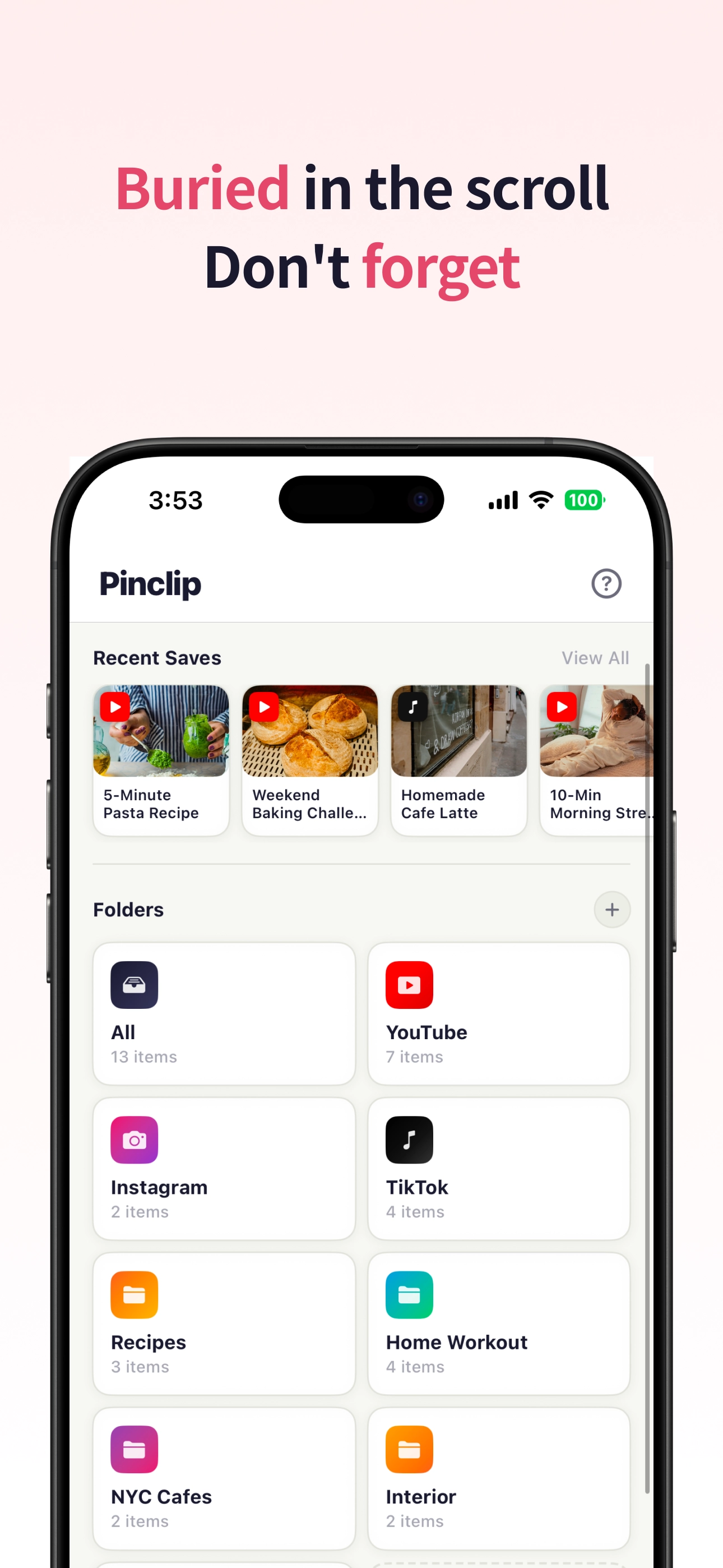
Multi-platform support.
The clip list keeps Instagram, YouTube, TikTok, and web links in one place, with platform cues that make scanning faster.
Tags and memos.
Each saved clip can carry a short memo and tags, so a link becomes searchable context instead of another forgotten URL.
Developer note
PinClip is built for the moment after “I should save this.” The goal is to make short videos retrievable without turning Notes, Messages, or Photos into a messy link archive.
Saved clips can sync through Apple iCloud. The app is organized around folders, tags, and memos rather than a public social profile.
Features
Folders & Smart Folders
Custom folder names and colors. Smart Folders (Pro) auto-group by platform.
Tags & memos
Tag with # prefix. Add personal memos per clip.
Home screen widgets
Folder widget for quick access. Pin widget shows up to 6 saved videos.
iCloud sync (Pro)
Sync across iPhone and iPad via CloudKit private database.
Share Extension
Save from any app supporting share sheet: Safari, YouTube, Instagram, TikTok, Messages.
5 languages
English, Korean, Japanese, Chinese Simplified, Chinese Traditional.
Who it's for
•
People losing video links in Notes and Messages
•
Watchers of shorts across YouTube, Instagram, and TikTok
•
Users wanting a lightweight bookmark app
•
Anyone saving cooking, fitness, or tutorial videos
•
People building a curated video library
Use cases
Save tutorial clips, recipe reels, workout videos, and creator references without mixing them into Notes or Photos.
Use folders, tags, and memos to turn scattered short-form links into a small personal video library.

Other apps from kkiruk studio
ThanYesterday
Weather app that compares today with yesterday.
Talk Memo
Voice memo app for Apple Watch.
Honest Camera
Camera app for toddlers.
Sidefeed
YouTube discovery app.
2026 kkiruk studio · kkirukstudio.com